
Cleanfox: Spam & Email Cleaner
NielsenIQProductivity
4.78.37K Reviews
- Version
- 3.30.31-1196
- Installs
- 10.00M
- Age Rating
- Everyone
Screenshots
Our Review of Cleanfox: Spam & Email Cleaner
 Analysis by Appyee
I installed Cleanfox to see whether it could make the daily business of managing email feel less tedious. Developed by NielsenIQ, this free productivity app takes a different route from a normal inbox client: instead of asking you to open messages one by one, it focuses on recurring newsletters and unwanted subscriptions. That makes it especially interesting for anyone whose inbox is crowded with promotional mail, mailing lists, and old subscriptions they no longer remember joining.
My first impression is that the app is built around a simple promise: spend less time fighting email clutter. The idea is appealing because inbox overload is rarely caused by one dramatic message. It usually grows quietly through repeated newsletters, retail offers, alerts, and updates that seemed useful at the time. Cleanfox is aimed at that slow accumulation rather than at replacing Gmail, Outlook, Apple Mail, or another everyday email reader.
The app has been available since January 4, 2017, and it has reached more than ten million installs. Its average rating is 4.7 from roughly 328,000 ratings, with about 8,400 written reviews. Those figures suggest that the concept is easy for many people to understand, although a high rating should not replace checking whether its subscription-cleaning approach matches the way you use email.
How Cleanfox approaches a crowded inbox
I find Cleanfox most useful when I treat a crowded inbox as a pattern to investigate, not just a pile of messages to erase. I’ll start by noticing which senders keep returning and sort clear-cut newsletters from anything tied to purchases, bookings, or account access. That distinction makes the cleanup decisions safer and leads naturally to the practical checks I’d make before connecting a mailbox.
A free tool with a focused job
The cost is straightforward: Cleanfox is free to download and use. That matters because the app’s value is mainly practical rather than financial. You are not buying a full email suite or paying for a larger mailbox. You are using a focused cleanup tool to reduce the amount of unwanted mail reaching the inbox.
I like that distinction. A free app can still be valuable when it removes a repeated annoyance, but it should not be judged as though it were a complete replacement for an email service. Cleanfox belongs beside your existing mailbox, not necessarily in place of it. You would still need your usual email provider for composing messages, handling important conversations, searching old correspondence, and managing the broader account.
The age rating is Everyone, and the current version is 3.30.31-1196. It supports devices running Android 7.0 or later. Those details make it accessible to a broad range of Android users, including people who are not using the newest phone. The practical point is simple: if your device meets that system requirement, the app is positioned as an easy entry point rather than a specialist tool for advanced email users.
What the cleanup workflow is good at
In normal use, the strongest part of Cleanfox is the way it turns a vague inbox problem into a set of recognizable subscription decisions. Instead of thinking, “I need to clean thousands of messages,” you can think, “Do I still want mail from this sender?” That smaller question is much easier to answer.
This is useful for people who have accumulated years of newsletters. A typical inbox may contain messages from shops used once, event services, travel companies, discussion lists, and content publishers. Deleting individual messages treats the symptoms but leaves the subscription active. Cleanfox’s purpose is more lasting: it helps you address the source of repeated clutter by deciding which recurring senders deserve to remain.
One practical tip is to use it when you have enough time to make deliberate choices, rather than opening it during a rushed commute. Subscription cleanup can feel quick at first, but borderline cases need attention. A sender may look promotional while still delivering account notices, receipts, or information you occasionally need. I would keep a second screen or your normal email app nearby when a sender’s purpose is unclear.
Where it fits beside ordinary email apps
Compared with a standard inbox application, Cleanfox is narrower but more direct. Gmail, Outlook, and Apple Mail are designed to handle nearly every part of email: messages, folders, contacts, search, replies, attachments, and account settings. Their filtering tools can be powerful, but they often require you to create rules, search for senders, or manage settings manually.
Cleanfox is more attractive when your main problem is not writing email but deciding which recurring messages should stop appearing. It gives the cleanup task its own space instead of burying it inside a general-purpose inbox. That specialization is the reason to try it.
On the other hand, users who already maintain careful filters may not gain much. If your mailbox is organized with labels, rules, folders, and a disciplined unsubscribe routine, adding another tool may create more management rather than less. The app is most useful for the person who knows the inbox is messy but has never found the patience to sort it systematically.
A realistic everyday example
Imagine opening your email on Monday morning and finding a mixture of work messages, delivery updates, account notices, and a long stream of weekend promotions. You delete the visible offers, but similar messages will return tomorrow. With Cleanfox, I would approach the problem by reviewing the recurring senders instead of repeatedly clearing individual messages.
For example, a clothing retailer you used once may still send several offers every week. A travel newsletter may be useful during vacation planning but unnecessary the rest of the year. A local service may send both marketing material and important booking information. These cases require different decisions. The first may be an obvious unsubscribe, the second may be temporary clutter, and the third may be better left alone or handled through the provider’s own notification controls.
That example shows both the app’s strength and its limit. It can make the list of decisions easier to see, but it cannot know which messages matter to you. The final judgment remains personal, especially when a sender mixes promotional content with useful account communication.
Small habits that make the app more useful
I would not treat Cleanfox as a one-time miracle cure. The better workflow is to use it as part of an inbox habit. Start with the senders that are clearly irrelevant, then pause before removing anything connected to travel, purchases, work, bills, or accounts. After the first cleanup, revisit the app when your inbox begins filling with the same kind of material again.
A second useful habit is to distinguish between old messages and active subscriptions. Deleting a backlog can make the inbox look better, but it does not necessarily prevent new mail. Unsubscribing from a sender addresses the recurring source, while deleting messages handles what has already arrived. Keeping those two tasks separate helps you understand what result you are actually getting.
A third tip is to use the app for decision-making, not as an excuse to approve everything quickly. A fast sweep can remove senders you later realize were useful. I prefer a two-pass method: first mark only the obvious unwanted subscriptions, then return to ambiguous senders after checking a recent message in the regular inbox. That takes longer, but it reduces the chance of losing information you still need.
Privacy and account comfort
Any tool that works with email deserves a careful look from the user. Even when an app’s purpose is convenient, connecting it to a mailbox is a more meaningful decision than installing a simple calculator or notes app. Before using Cleanfox, I would read the current sign-in and account-access screens carefully and make sure I understand which mailbox is being connected.
This is not a criticism unique to Cleanfox; it is a sensible standard for every email-cleaning service. People should feel comfortable with the account they select and with the actions they approve. If you manage a work mailbox, shared address, or account containing sensitive correspondence, I would be more cautious than I would with a personal inbox full of retail newsletters.
That caution also affects who should skip the app. Someone with strict workplace rules about third-party email tools may be better served by the organization’s approved email settings. Likewise, users who are uncomfortable granting a cleanup app access to their mailbox may prefer to unsubscribe manually through the email provider, even if that process takes more time.
The tradeoffs behind convenience
The main tradeoff is control versus speed. A dedicated cleanup view can help you process subscriptions faster than opening messages individually, but speed can encourage broad decisions. Email is full of exceptions: a sender may deliver both useful notices and unwanted promotions, or a newsletter may be irrelevant today but valuable later.
Another tradeoff is that a cleaner inbox does not automatically mean a better email system. Cleanfox can help reduce subscription noise, but it will not replace good folder organization, sensible notification settings, or a reliable method for finding important messages. If your real problem is missing work deadlines, losing receipts, or failing to notice personal mail, you may need to improve the structure of the main inbox as well.
There is also a difference between wanting fewer messages and wanting stronger spam protection. Cleanfox is presented as a way to unsubscribe from unwanted emails and protect the inbox from spam, but I would not treat it as a complete security layer. Suspicious messages should still be handled through your email provider’s spam and phishing controls. A cleanup app is better suited to unwanted legitimate mail than to every kind of dangerous or deceptive message.
That distinction is important in everyday use. A marketing newsletter from a known retailer is one problem; a fraudulent message pretending to be a bank is another. I would use the provider’s reporting tools for the second situation and reserve Cleanfox for the first. Confusing the two could lead to unsafe habits.
Who is likely to get the most value
Cleanfox is a strong fit for people who subscribed to many newsletters over time and now feel overwhelmed by repeated promotional mail. It is also useful for anyone who tends to delete unwanted messages without ever stopping the source. The app gives that person a more purposeful route from “this keeps arriving” to “I no longer want this subscription.”
It can be particularly helpful after a busy period of online shopping, travel planning, event registration, or app sign-ups. Those activities often create a temporary wave of recurring email. Rather than searching through every message manually, you can use the cleanup workflow to review the senders that have become part of the inbox background noise.
People who use several personal email accounts should think about their workflow before starting. The app may be convenient for the account that receives the most newsletters, but cleanup can become confusing if you switch between addresses without paying attention. I would begin with one personal mailbox, learn how the review process feels, and only then decide whether the same approach makes sense elsewhere.
Who should choose another approach
I would skip Cleanfox if your inbox is already well managed and your main needs involve composing, archiving, searching, or organizing complex conversations. A full email client will serve those tasks better. The same is true if most of your unwanted mail is spam, phishing, or automated account alerts rather than recognizable subscriptions.
I would also be cautious if you cannot easily distinguish marketing mail from important service messages. Some senders combine promotional newsletters with receipts, security notices, or booking details. In that situation, manual review through the original email provider may offer better control, even though it is less convenient.
Finally, people who strongly prefer not to connect email accounts to separate services may find the app’s central workflow uncomfortable. Free access does not remove the need to consider trust, account sensitivity, and personal privacy preferences. The right choice is not simply the option that saves the most taps; it is the option you can use confidently.
My buying decision and final verdict
Because Cleanfox is free, the decision is less about whether it is worth paying for and more about whether its focused cleanup method is worth adding to your email routine. There is no purchase price to weigh against a premium feature set here. Its value comes from the time and attention it may save when recurring subscriptions have become difficult to manage manually.
In my view, that makes it easy to recommend as a trial for a cluttered personal inbox. The app has a clear purpose, a broad Android reach, and a simple answer to a very common problem. NielsenIQ has kept the product in the productivity category rather than presenting it as a replacement for a complete email service, and that is the right way to understand it.
My recommendation comes with one condition: use it deliberately. Start with obvious newsletters, inspect uncertain senders, and keep spam reporting inside your regular email provider. If you want a focused way to reduce subscription clutter, Cleanfox is a practical free option. If you need a complete inbox, advanced mail rules, or maximum manual control, your existing email client is likely the better tool.
For the right user, the biggest benefit is not a dramatic redesign of email. It is the quieter result of seeing fewer irrelevant messages arrive each day. That is a modest goal, but a useful one. I would install it when my inbox was being filled by subscriptions I no longer read, and I would skip it when the real issue was security, work-account policy, or general email organization.
Verdict
Strengths of Cleanfox: Spam & Email Cleaner
- Quickly identifies newsletters and unwanted subscriptions.
- Unsubscribe from multiple mailing lists in just a few taps.
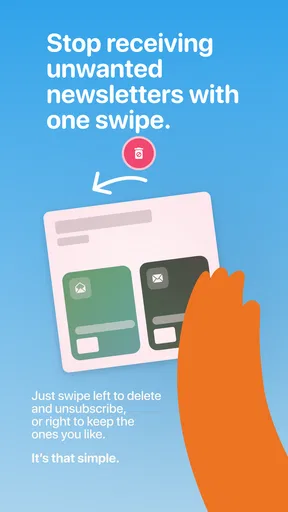
- Swipe-based interface makes inbox cleanup simple.
- Shows potential storage savings before deleting emails.
- Supports several major email providers and accounts.
Limitations of Cleanfox: Spam & Email Cleaner
- Requires access to your mailbox to scan and manage messages.
- Some newsletters may be incorrectly grouped or overlooked.
- Bulk actions can delete useful emails if reviewed too quickly.
- Advanced cleanup options may feel limited for power users.
- Performance depends on mailbox size and email provider connection.
Similar Picks in This Category
View All
Google Calendar
Google LLC4.6

Google Drive
Google LLC4.3

Google Assistant
Google LLC3.9

Microsoft OneDrive
Microsoft Corporation4.6

Samsung Calendar
Samsung Electronics Co., Ltd.4.1

Microsoft OneNote: Save Notes
Microsoft Corporation4.6
Frequently Asked Questions
What is Cleanfox: Spam & Email Cleaner, and how does it work?
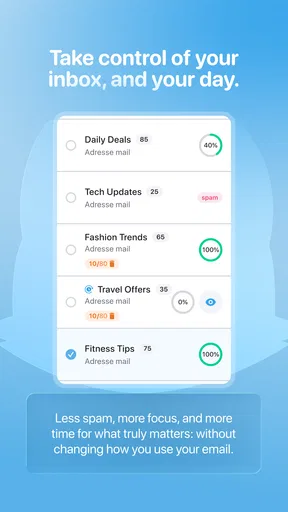
Cleanfox is an email-management app designed to help reduce inbox clutter, unsubscribe from unwanted newsletters, and delete large groups of old messages. After connecting a supported email account, it analyzes subscription emails and presents them in a swipe-based interface. You can keep a subscription, unsubscribe from it, or remove existing messages, making routine inbox cleanup faster than handling every email manually.
Is Cleanfox safe to use with my email account?
Cleanfox requires access to your email account so it can identify newsletters and organize messages for cleanup. Before connecting an account, review the permissions and privacy policy carefully, especially if your inbox contains confidential or business information. The app should be downloaded from an official store, and users should understand what access is granted and how account data is handled.
Can Cleanfox unsubscribe me from every type of unwanted email?
Cleanfox works mainly with recognizable newsletters, promotional messages, and recurring mailing lists. Its ability to unsubscribe depends on how each sender manages subscription requests, so some emails may not be removed immediately or may require manual action. It is also important to distinguish marketing newsletters from essential account alerts, receipts, travel updates, and security notifications before deleting or unsubscribing.
Will Cleanfox delete my emails permanently?
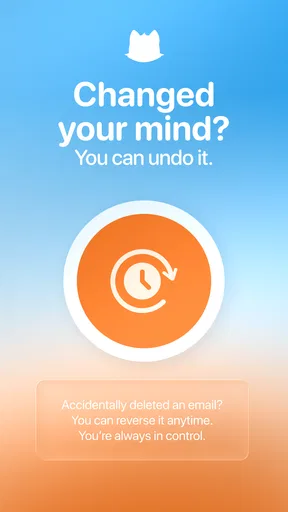
Cleanfox can help you select and remove messages associated with subscriptions, but the exact result may depend on your email provider and account settings. Deleted messages may first move to the Trash or Bin rather than disappearing immediately. Before confirming a cleanup, check the selected sender and message count carefully, because recovering important emails can be difficult after the provider permanently empties deleted items.
Is Cleanfox free, and are there any limitations?
Cleanfox is generally available as a free email-cleaning service, although features, advertising, account support, or optional upgrades may vary by platform and region. Users should check the current Google Play Store or Apple App Store listing for pricing and in-app purchase details. The free version may be sufficient for basic newsletter cleanup, but large or multiple accounts could involve additional restrictions.
